128TB Home Storage Server
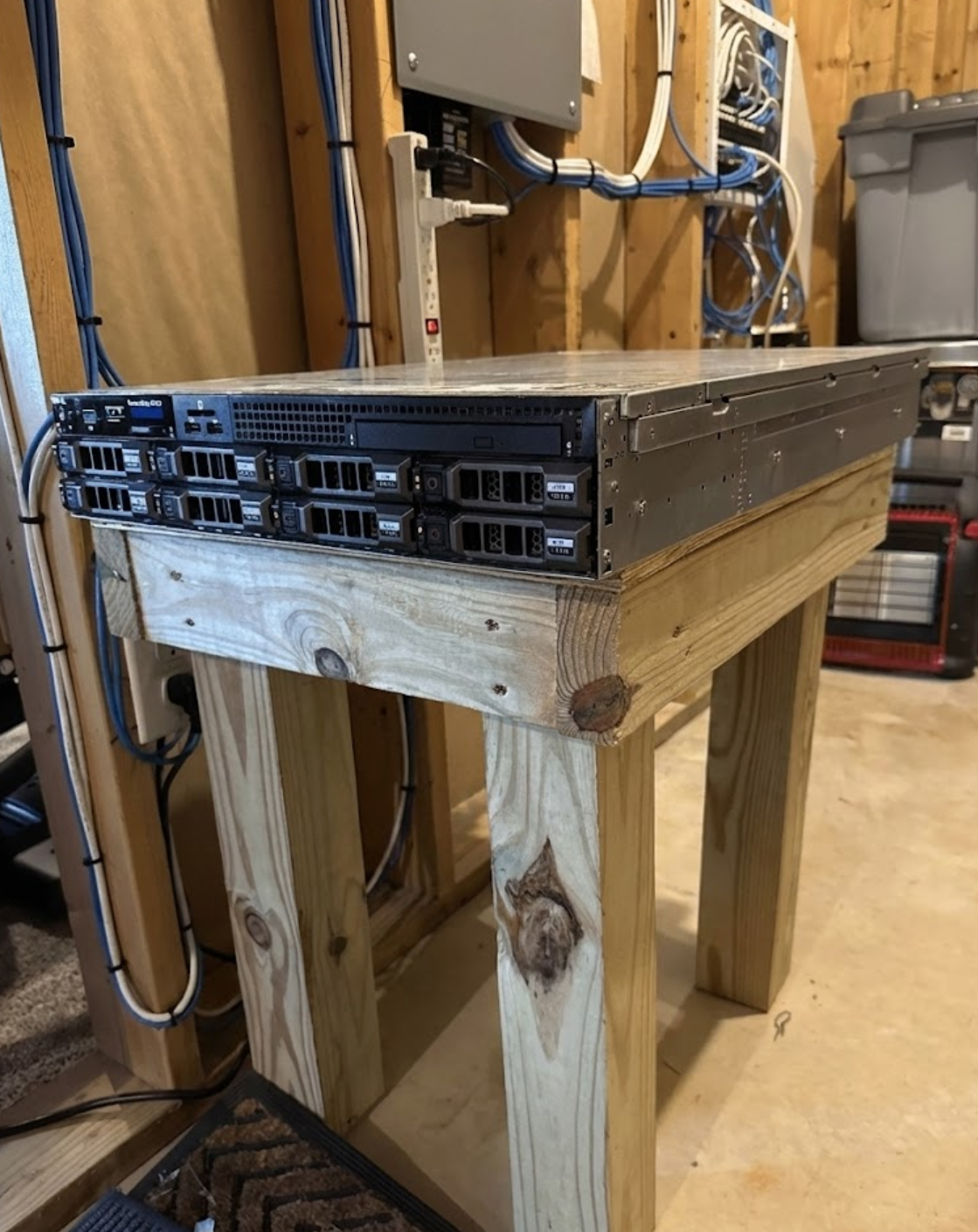
Overview
A storage server running in my basement with dual Intel Xeon E5-2697 v2 processors (24 cores/48 threads) and 128GB ECC RAM. It provides 102TB of storage for media, backups, VMs, and network services over a 10Gb Ethernet connection. I use it to practice Linux administration, server management, and networking.
Technical Specifications
24 cores / 48 threads
Skills Applied
Linux Systems Administration
The server runs Debian Linux. I handle administration, performance tuning, and troubleshooting through the command line—monitoring CPU usage across 48 threads, managing 128GB of RAM, tracking disk I/O, and applying security patches. This provides practical experience managing a 24-core system with 102TB of storage.
Server Management & Remote Administration
The system uses Dell iDRAC for remote management, including power control, BIOS configuration, and recovery when the OS is unavailable. I configured the storage arrays, set up hardware monitoring for the processors and memory, and optimized performance on the 102TB array.
Networking & Infrastructure
Connected to my home network via 10Gb Ethernet, enabling multi-gigabyte-per-second transfer speeds for serving media and backups to multiple devices. I configured static IP addressing, DNS records, routing, and interface settings. The server also runs a WireGuard VPN for secure remote access.
Security Hardening
Implemented SSH key-only authentication, disabled unnecessary services, configured iptables firewall rules, and automated security updates. I actively monitor for unauthorized access attempts and apply concepts from my KSU coursework (CYBR 3210, CYBR 4423).
Use Cases
- Media Storage: Centralized storage for media files accessible across my network
- Backups: Backup destination for workstations and laptops
- Virtualization: Runs VMs for testing and lab work
- Network Services: Hosts DNS, VPN gateway, and file shares
- Learning: Real environment to practice server administration and security
Technical Challenges
- Multi-Core Performance: Tuned scheduler and interrupt handling to distribute load across 24 cores/48 threads
- Network Throughput: Achieved multi-gigabyte-per-second speeds on the 10Gb interface using jumbo frames and TCP tuning
- Storage Array: Configured 102TB array with RAID protection for data integrity and performance
- Memory Management: Optimized 128GB RAM allocation for caching to improve disk I/O
- Monitoring: Automated monitoring for CPU temps, memory, disk health, and network stats
What I Learned
Managing this server provides practical experience that reinforces what I'm learning at KSU. I've applied security concepts from CYBR 3210 (Server Hardening) and CYBR 4200 (Infrastructure Defense) to a production system. Skills like Linux administration, network configuration, multi-core performance tuning, and high-speed networking are not just theoretical—I use them regularly to maintain this infrastructure.